 Usability is a
quality that many products possess, but many, many more lack. There are
historical, cultural, organizational, monetary, and other reasons for this,
which are beyond the scope of this article. Fortunately, however, there are
customary and reliable methods for assessing where design contributes to usability
and where it does not, and for judging what changes to make to designs so a
product can be usable enough to survive or even thrive in the marketplace.
Usability is a
quality that many products possess, but many, many more lack. There are
historical, cultural, organizational, monetary, and other reasons for this,
which are beyond the scope of this article. Fortunately, however, there are
customary and reliable methods for assessing where design contributes to usability
and where it does not, and for judging what changes to make to designs so a
product can be usable enough to survive or even thrive in the marketplace.
It can seem hard to know what makes
something usable because unless you have a breakthrough usability paradigm that
actually drives sales (Apple’s iPhone 5 comes to mind), usability is only an
issue when it is lacking or absent. Imagine a customer trying to buy something
from your company’s e-commerce web site. The inner dialogue they may be having
with the site might sound like this: I can’t find what I’m looking for.
Okay, I have found what I’m looking for, but I can’t tell how much it
costs. Is it in stock? Can it be shipped to where I need it to go? Is
shipping free if I spend this much? Nearly everyone who has ever tried to
purchase something on a web site has encountered issues like these.
It is easy to pick on web sites (after all there are so
very many of them), but there are myriad other situations where people
encounter products and services that are difficult to use every day. Do you
know how to use all of the features on your alarm clock, phone, or DVR? When
you contact a vendor, how easy is it to know what to choose in their
voice-based menu of options?
Usefulness concerns the degree to which a product enables
a user to achieve his or her goals, and is an assessment of the user’s
willingness to use the product at all. Without that motivation, other measures
make no sense, because the product will just sit on the shelf. If a system is
easy to use, easy to learn, and even satisfying to use, but does not achieve
the specific goals of a specific user, it will not be used even if it is given
away for free. Interestingly enough, usefulness is probably the element that is
most often overlooked during experiments and studies in the lab.
In the early stages of product development, it is up to
the marketing team to ascertain what product or system features are desirable
and necessary before other elements of usability are even considered. Lacking
that, the development team is hard-pressed to take the user’s point of view and
will simply guess or, even worse, use themselves as the user model. This is
very often where a system-oriented design takes hold.
Effectiveness refers to the extent to which the product
behaves in the way that users expect it to and the ease with which users can
use it to do what they intend. This is usually measured quantitatively with
error rate. Your usability testing measure for effectiveness, like that for
efficiency, should be tied to some percentage of total users. Extending the
example from efficiency, the benchmark might be expressed as “95 percent of all
users will be able to load the software correctly on the first attempt.”
Efficiency is the
quickness with which the user’s goal can be accomplished accurately and
completely and is usually a measure of time. For example, you might set a usability
testing benchmark that says “95 percent of all users will be able to load the
software within 10 minutes.”
Learnability is a part of effectiveness and has to do with
the user’s ability to operate the system to some defined level of competence
after some predetermined amount and period of training (which may be no time at
all). It can also refer to the ability of infrequent users to relearn the
system after periods of inactivity.
Accessibility and usability are siblings. In the
broadest sense, accessibility is about having access to the products needed to
accomplish a goal. But in this article when we talk about accessibility, we are
looking at what makes products usable by people who have disabilities. Making a
product usable for people with disabilities — or who are in special contexts,
or both — almost always benefits people who do not have disabilities.
Considering accessibility for people with disabilities can clarify and simplify
design for people who face temporary limitations (for example, injury) or situational
ones (such as divided attention or bad environmental conditions, such as bright
light or not enough light). There are many tools and sets of guidelines
available to assist you in making accessible designs. (We include pointers to
accessibility resources on the web site that accompanies this book (see www.wiley.com/go/usabilitytesting
for more information.) You should acquaint yourself with accessibility best
practices so that you can implement them in your organization’s user-centered
design process along with usability testing and other methods.
Making things more usable and accessible is part of the larger discipline of user-centered design (UCD), which encompasses a number of methods and techniques. In turn, user-centered design rolls up into an even larger, more holistic concept called experience design. Customers may be able to complete the purchase process on your web site, but how does that mesh with what happens when the product is delivered, maintained, serviced, and possibly returned? What does your organization do to support the research and decision-making process leading up to the purchase? All of these figure in to experience design.
Satisfaction refers to the user’s perceptions, feelings, and
opinions of the product, usually captured through both written and oral
questioning. Users are more likely to perform well on a product that meets
their needs and provides
satisfaction than one that does not. Typically, users are asked to rate and
rank products that they try, and this can often reveal causes and reasons for
problems that occur.
Usability goals and objectives are typically defined in
measurable terms of one or more of these attributes. However, let us caution
that making a product usable is never simply the ability to generate numbers
about usage and satisfaction. While the numbers can tell us whether a product
“works” or not, there is a distinctive qualitative element to how usable
something is as well, which is hard to capture with numbers and is difficult to
pin down. It has to do with how one interprets the data in order to know how
to fix a problem because the behavioral data tells you why there is a
problem.
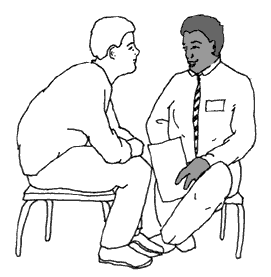
Any doctor can measure a patient’s vital signs, such as blood
pressure and pulse rate. But interpreting those numbers and recommending the
appropriate course of action for a specific patient is the true value of the
physician. As a effective designer we must offer the same services to the
client we support and the customers they service. Judging the several possible
alternative causes of a design problem, and knowing which are especially likely
in a particular case, often means looking beyond individual data points in
order to design effective treatment. There exist these little subtleties that
evade the untrained eye.
This brings us back to
usability.
True usability
is invisible. If something is going well, you don’t notice it. If the
temperature in a room is comfortable, no one complains. But usability in
products happens along a continuum. How usable is your product? Could it be
more usable even though users can accomplish their goals? Is it worth
improving?
Most usability professionals spend most of their time
working on eliminating design problems, trying to minimize frustration for users.
This is a laudable goal! But know that it is a difficult one to attain for
every user of your product. And it affects only a small part of the user’s experience
of accomplishing a goal. And, though there are quantitative approaches to
testing the usability of products, it is impossible to measure the usability of
something. You can only measure how unusable it is: how many problems
people have using something, what the problems are and why.

No comments:
Post a Comment